Note. We understand that the Virtual Searchroom service is now fully booked up to the pause for the move to High Wycombe.
With the impending relocation of Buckinghamshire Archives from Aylesbury to High Wycombe, there has never been a better time to try out their free Virtual Searchroom service, which allows you to order up to five items to view over your computer. Helpfully, the Virtual Searchroom service will remain open as long as it is practically possible during the period of the move, when on-site visits will be temporarily suspended. But as this article will also explain, there are other significant benefits to this service, even if, in future, you still elect to make journeys to High Wycombe, or if Buckinghamshire Archives begin their proposed visits to Milton Keynes Central Library to bring pre-ordered documents to view.
At present, due to the closeness of the move, the number of items you can order in advance for an in-person visit is capped at five (usually it is 10), with the possibility of requesting a further three items on the day, though the latter is not guaranteed. Aside from the obvious convenience of using the Virtual Searchroom from the comfort of your own home, it also means that you can potentially maximise the results of a subsequent in-person visit by narrowing down the items you are interested in and discarding those you judge irrelevant. Furthermore, if, in due course, documents begin to be delivered for viewing on request in Milton Keynes, you will be able to mitigate the disappointment of receiving items that prove immaterial to your research.
How to order items for the Virtual Searchroom
Items can be ordered via email. You should provide the item reference numbers and their titles, which can be found on the archive online catalogue.
You can also include some information on your area of interest, so the archivist has an idea of your area(s) of research. Though the archivist will not be able to examine items in detail before your call, having an idea of your aims will be helpful during the call, and it may be that the archivist will spot something in an item and be able to guide you in a useful direction.
Presently, Virtual Searchroom sessions are held on Thursdays and Fridays each week, with two slots available on each of those days. You should bear in mind that items will need to be retrieved from the storerooms in advance of your call, so the archive asks that you provide your list at least two working days in advance. I generally find it best to book several weeks in advance and provide the list at least one week before the agreed date. For the latest information on ordering items, please visit the Virtual Searchroom page.
How does a Virtual Searchroom call work?
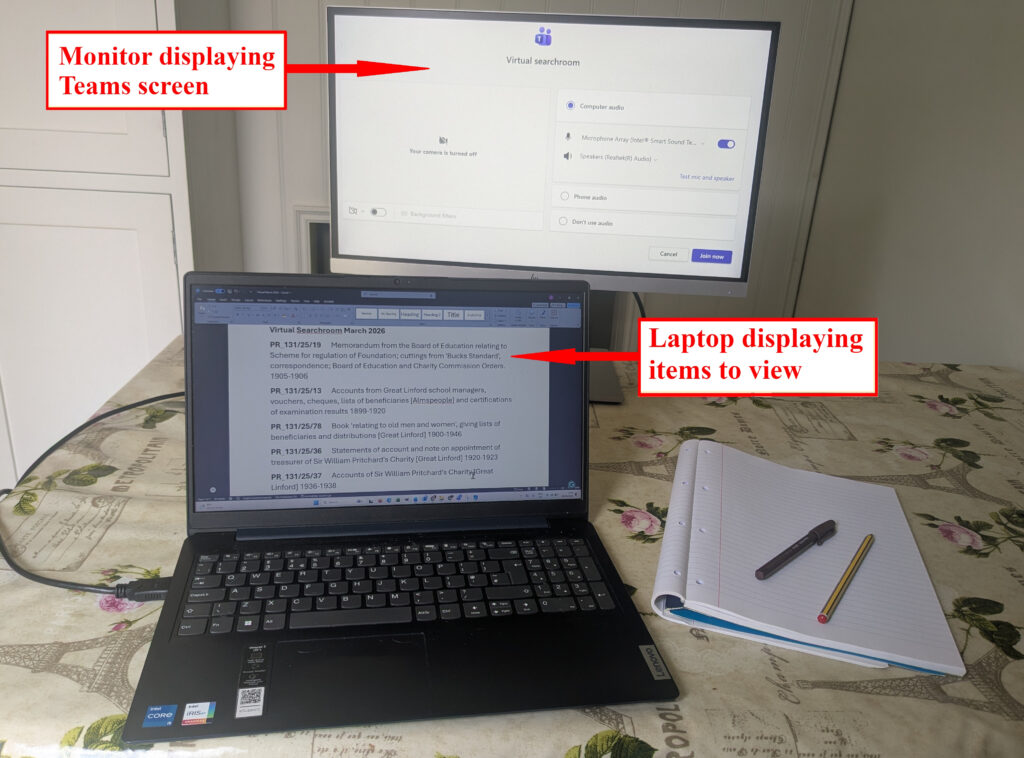
You’ll need to use Microsoft Teams for the call, but you don’t need a Microsoft account or the software installed on your device; you can simply click the link you’ll receive from Buckinghamshire Archives and join via your web browser. The link is generally sent to you on the day of the call, so make sure to check your inbox, and if the email does not appear to have arrived in good time, also check your spam folder, before contacting the archive.
It is best to join the meeting a few minutes before the allocated time; you’ll be held in a “lobby” until the call organiser is ready. Joining a few minutes early also means you can attempt to resolve any connection issues that may arise, though the technology is very robust, so you are unlikely to encounter any serious problems.
It is recommended that, if possible, you have two screens for the call, one to have a Word Processing document open to take notes, and a larger one, if available, to view the documents. You can, of course, use pen and paper if you prefer, but I find using a Word Processing document is more convenient.
Please note that photography is not allowed during the call, so you must not attempt to record the call or take screen captures.
Preparing for your Virtual Showroom session
The call lasts 45 minutes, though you will be allocated 60 minutes on Teams; therefore, at the archivist’s discretion, you may have some wriggle room if you encounter any difficulties, but you should be prepared to make the most of the time. Crucially, you should understand that while you are ordering up to five items, each item may contain multiple documents.
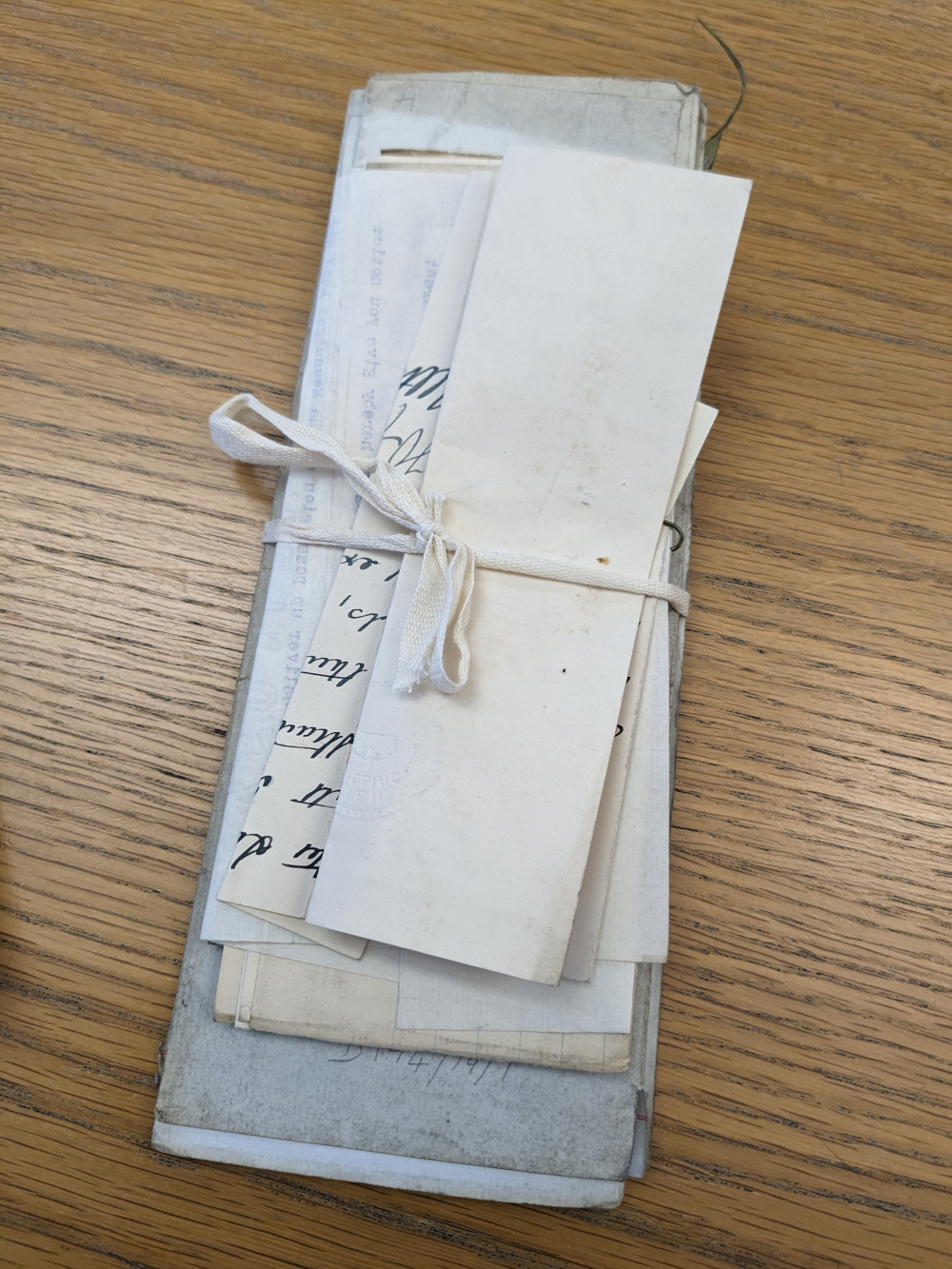
It is therefore strongly recommended that you make use of the Archive’s online catalogue search and take particular note of the abstracts provided.
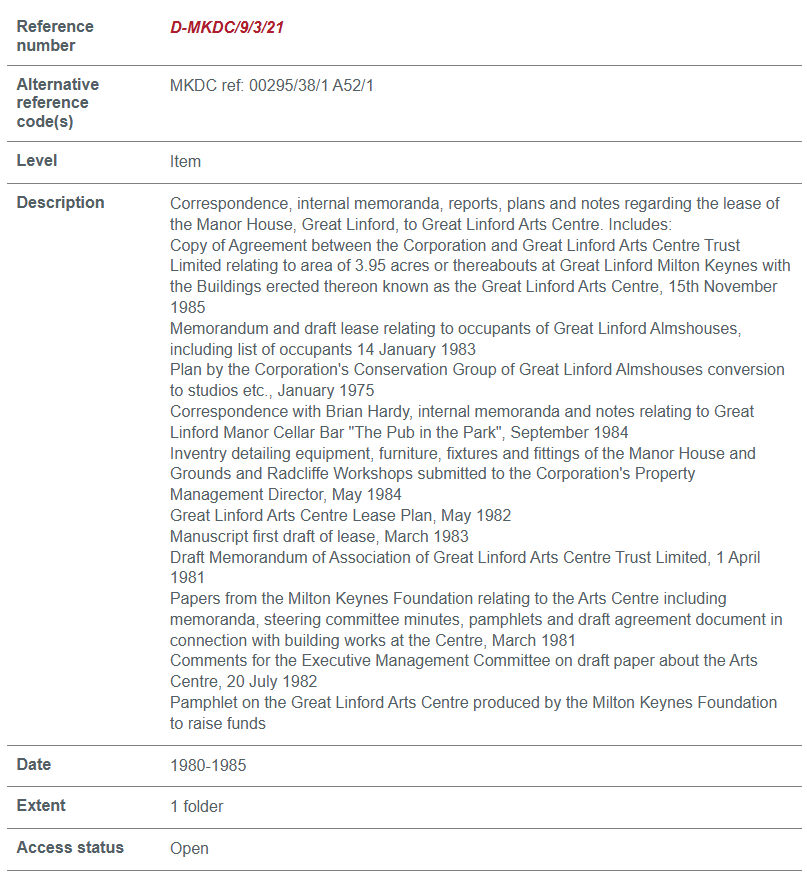
Where there is a detailed abstract available, you can better manage your time by making a note of any specific parts that interest you. For example, the abstract for item D-MKDC/9/3/21 provides headline information on ten distinct items about the lease of the Great Linford Manor estate, but my specific interest was limited to two items. Armed with this information, I was able to bring this to the attention of the archivist during the call, and they were then able to quickly find these and display them, saving valuable time.
Some abstracts are, however, much less detailed than others. For example, item PR_131/25/13, contains 22 separate documents, but provides no detail on the contents. Therefore, the likelihood exists that you may find a profusion of material in just one item, which could seriously eat into your allocated time, or, upon examination, you may find that the material has no relevance to your research.
It is worthwhile copying all the relevant information you have identified before the call into a Word Processing document, making sure to include the item reference number, their titles and any abstracted information for each. You can then refer to this during the call.
Based on the information you have compiled, and any knowledge or forethought as to the likely extent and volume of each item, you might also consider ordering your list from the highest to lowest priority, but you will need to think on your feet if, on presentation, you find an item contains a challenging amount of material, or in some other way, is not what you expected.
During the call
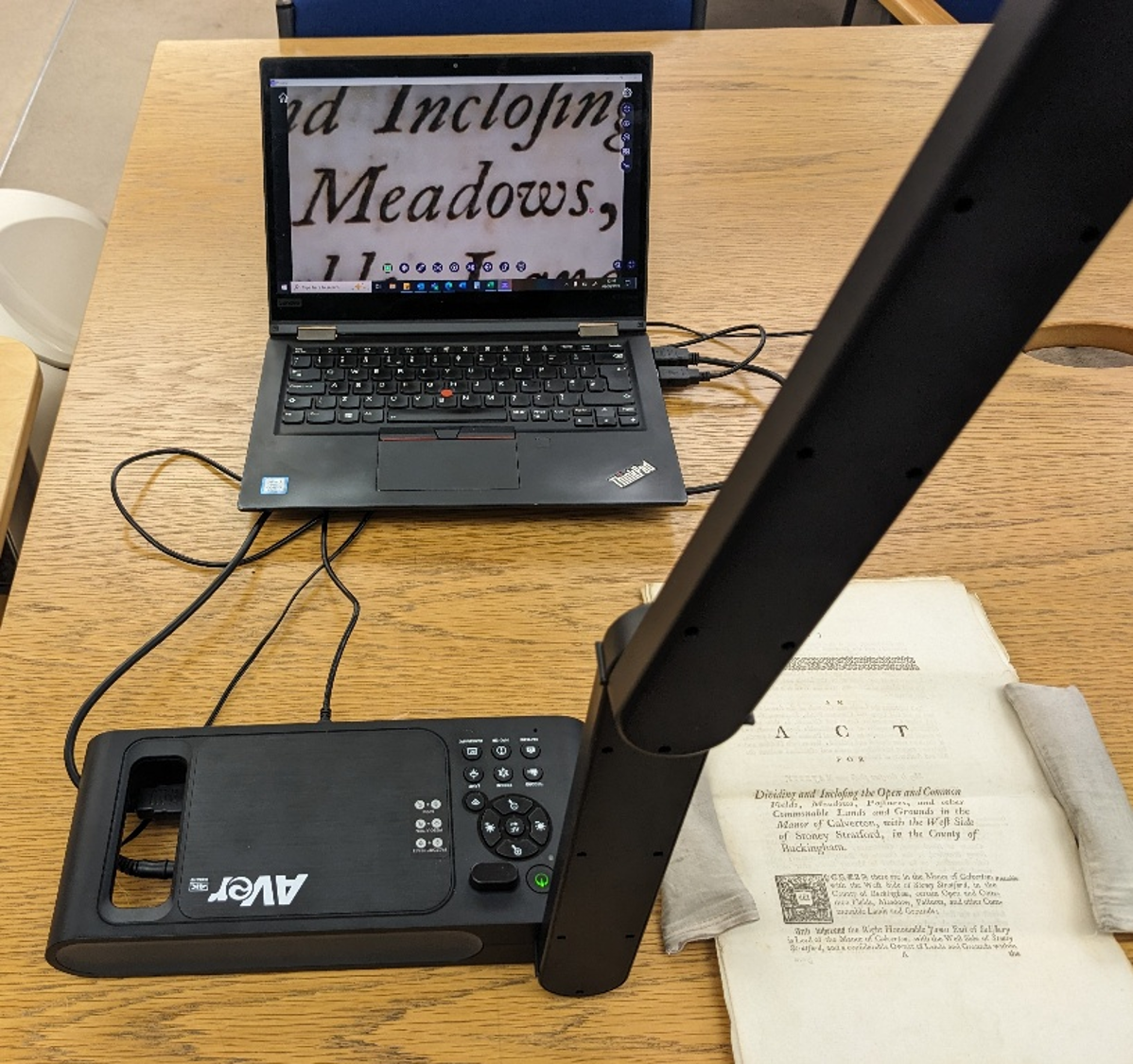
During the call, there is no fixed order that you need to follow, and you will be able to specify which document you wish to see next, which is helpful if you find time running short, or during the session, you come to the conclusion that the original order you had in mind no longer works.
The archivist will use a fixed camera looking down on a desk to display the items. While the focus of the camera is generally good, be prepared to ask for the focus to be adjusted if you feel it has become unclear, or to move the item within the field of view of the camera if portions are not visible, especially if items are particularly large.
You also need to consider if there is a large amount of typewritten or cursive handwriting. For cursive in particular, unless you are particularly adept at reading this type of script, you are not likely to be able to speedily read and assimilate everything on a screen. You should feel free to discuss any difficult-to-read pages with the archivist, as they are likely to have relevant experience in deciphering old scripts or archaic language.
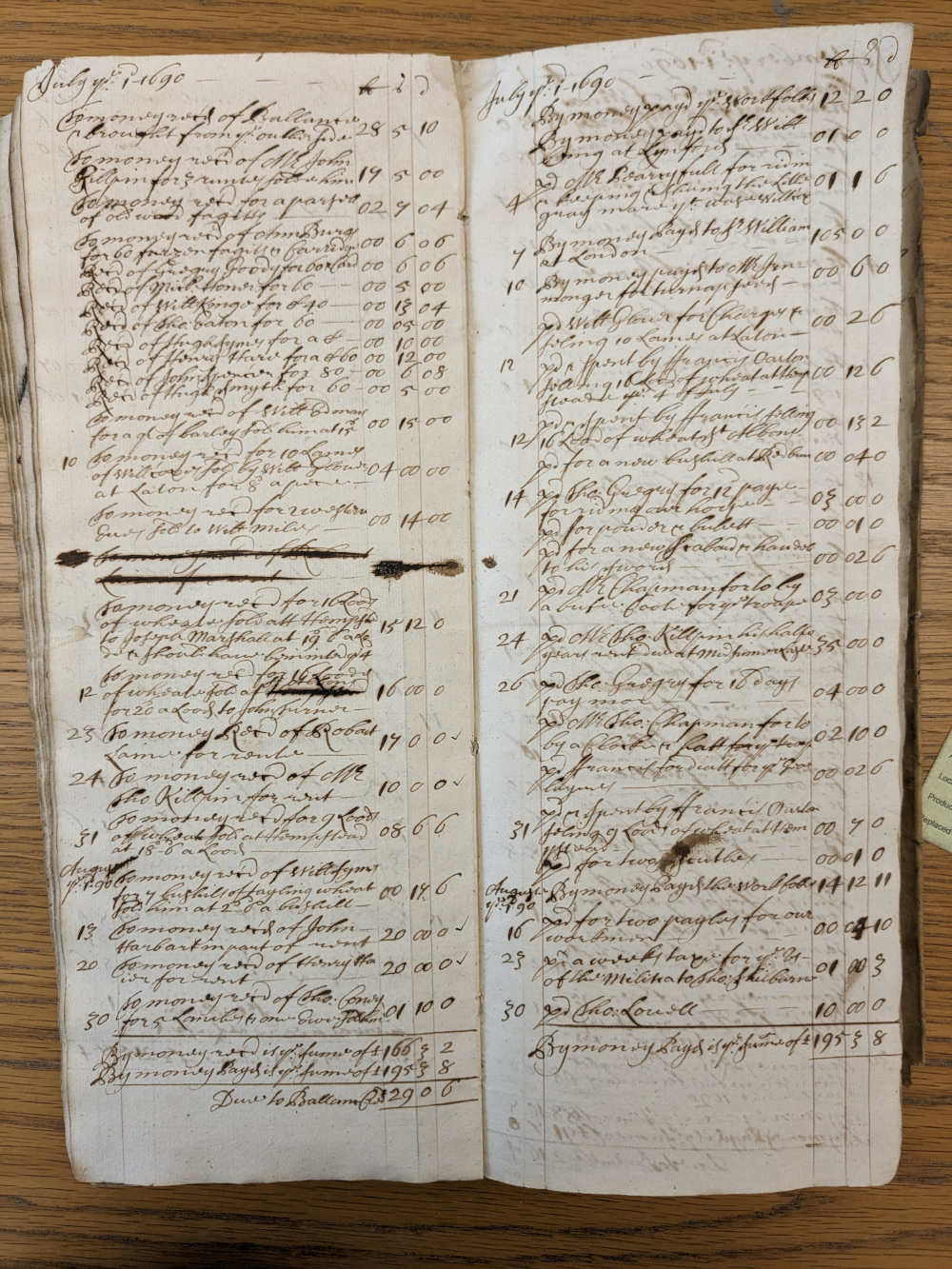
As the call progresses, you should take careful notes of each item viewed, though you will find it difficult to transcribe long documents without eating into your allocated time.
Though photography is not allowed, you might consider reading out the contents of an item aloud and making a voice recording. You should, however, make the archivist aware of this for personal privacy reasons, if in the process you capture their voice.
I have tried to use voice-to-text recording within Microsoft Word, but found this only partially effective, with some words not transcribing accurately and the lag on the transcription proving distracting. There are other voice-to-text services available, so this is an avenue worthy of further experimentation.
If you feel, on viewing an item virtually, that an in-person visit is required to further investigate it, make a note of this and the reasons. You may, for instance, decide that an item is worth viewing in person, to overcome difficulties in deciphering handwriting, or you may wish to photograph the item in person, so you can examine it in greater detail later.
Proposed searchroom visits to Milton Keynes
Buckinghamshire Archives are planning to offset the difficulties faced by some users accessing the new location at High Wycombe by offering regular visits to Milton Keynes to bring requested documents to view. Noting all the pitfalls of visiting the archives and finding duds amongst your selections, or being overwhelmed by a particularly packed bundle, the Virtual Searchroom service offers an ideal way of winnowing out the chaff, ensuring, as best as is possible, that the value of the items requested (which will understandably be subject to a cap) is maximised.
Key points to remember
• Be prepared. Find out as much as you can about the documents beforehand and have clear and concise notes to hand that will guide you during the session.
• Keep an eye on the clock. Be prepared to adjust your plans if you are running out of time but try not to get flustered. You can always request a follow-up virtual archive session or attend the archive in person at a later date.
• Ask questions. The archivist has specialist knowledge and is not there to simply present pages for you to view. Make the most of the opportunity to ask questions and seek their opinions during the call.
• Take notes. Not just of the useful items, but also those that proved inconsequential to your research, along with the reasons. This will help you to avoid inadvertently requesting a repeat viewing in future and aid you in creating a list that maximises the potential benefits of an on-site visit.
Conclusions
Having used the Virtual Searchroom on several occasions, I can attest to the usefulness of the service. As I have previously intimated, I have found it particularly helpful in identifying items for follow-up investigation with an in-person visit. In the past, it has been an unavoidable frustration of in-person visits to the archive that you sometimes request an item that proves entirely unhelpful, and with limits on the number of items you can request, this represents a wasted opportunity. Being able to make an initial assessment during a Virtual Searchroom session represents a considerable efficiency, and should the archive begin offering visits to Milton Keynes, the Virtual Searchroom service will become an even more vital tool for researchers.
John Gosling
Great Linford history